
Note
Go to the end to download the full example code.
Cropping a Map#
How to crop a map by using submap.
import matplotlib.pyplot as plt

import astropy.units as u
from astropy.coordinates import SkyCoord

import sunpy.data.sample
import sunpy.map
We start with the sample data
swap_map = sunpy.map.Map(sunpy.data.sample.SWAP_LEVEL1_IMAGE)
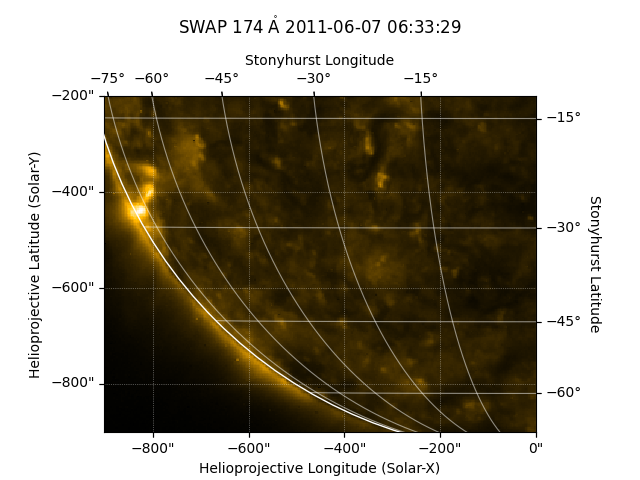
To crop the data you create a submap, specifying the top right and bottom left as SkyCoord objects.
Let’s plot the results.
fig = plt.figure()
ax = fig.add_subplot(projection=swap_submap)
image = swap_submap.plot(axes=ax)
swap_submap.draw_limb(axes=ax)
swap_submap.draw_grid(axes=ax)

# Make some room and put the title at the top of the figure
ax.set_position([0.1, 0.1, 0.8, 0.7])
ax.set_title(ax.get_title(), pad=45)

plt.show()
Total running time of the script: (0 minutes 0.473 seconds)