
Note
Go to the end to download the full example code.
Finding contours of a map#
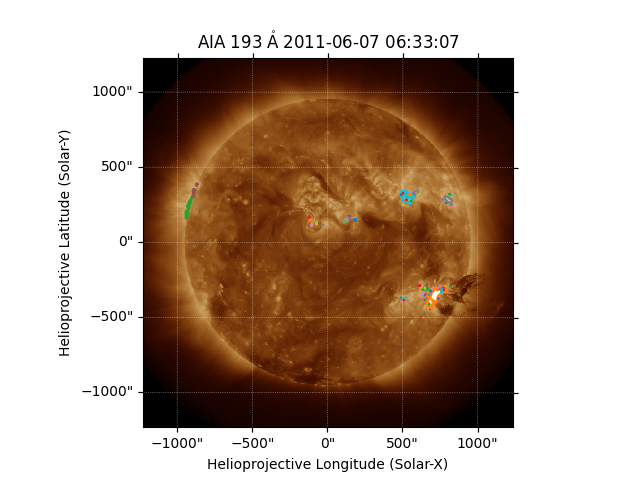
This example shows how to find and plot contours on a map.
import matplotlib.pyplot as plt

import astropy.units as u

import sunpy.map
from sunpy.data.sample import AIA_193_IMAGE
Start by loading the sample data.
aiamap = sunpy.map.Map(AIA_193_IMAGE)
In finding a set of contours, we have to provide the level to contour in the
same units as the map data. To find out the units we can inspect
sunpy.map.GenericMap.unit.
print(aiamap.unit)
DN
We can see that the units of this map are ct, or counts. We can now
chose a contour level, and use the find_contours()
method to extract the contours.
Finally, we can plot the map, and add each of the contours in turn.
fig = plt.figure()
ax = fig.add_subplot(projection=aiamap)
aiamap.plot(axes=ax)
for contour in contours:
    ax.plot_coord(contour)
plt.show()
Total running time of the script: (0 minutes 0.589 seconds)