
Note
Go to the end to download the full example code.
Changing the resolution of an NDCube#
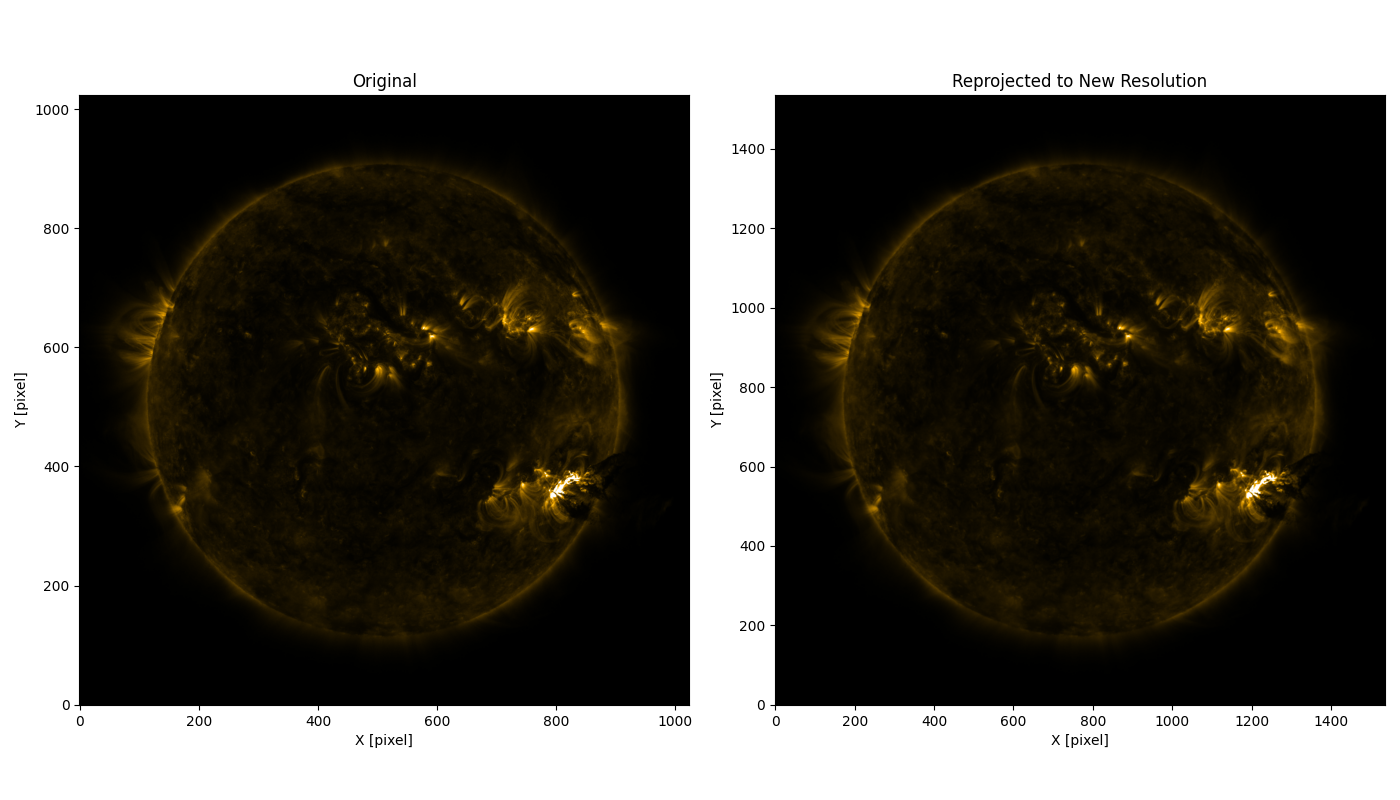
This example shows how to change the sampling of an NDCube by reprojecting to a different grid.
Reprojecting is useful when you need a new WCS or a non-integer change in pixel scale.
Warning
Reprojecting resamples the data, but it does not make the underlying data intrinsically higher resolution.
If you only need to combine aligned pixels by an integer factor to reduce resolution,
rebin is usually a better choice because it operates directly on contiguous input pixels.
import matplotlib.pyplot as plt

from astropy.io import fits
from astropy.wcs import WCS

from sunpy.data.sample import AIA_171_IMAGE
from sunpy.visualization.colormaps import cm

from ndcube import NDCube
Files Downloaded:   0%|          | 0/1 [00:00<?, ?file/s]

AIA20110607_063302_0171_lowres.fits:   0%|          | 0.00/973k [00:00<?, ?B/s]


Files Downloaded: 100%|██████████| 1/1 [00:00<00:00,  1.29file/s]
Files Downloaded: 100%|██████████| 1/1 [00:00<00:00,  1.29file/s]
We start by creating an NDCube from sample solar data provided by SunPy. Here we use an AIA 171 image, but the same approach can be applied to other datasets, including those with non-celestial axes.
image_data = fits.getdata(AIA_171_IMAGE, ext=1)
image_header = fits.getheader(AIA_171_IMAGE, ext=1)
cube = NDCube(image_data, WCS(image_header))
/home/docs/checkouts/readthedocs.org/user_builds/ndcube/conda/stable/lib/python3.12/site-packages/astropy/io/fits/hdu/image.py:610: VerifyWarning: Invalid 'BLANK' keyword in header.  The 'BLANK' keyword is only applicable to integer data, and will be ignored in this HDU.
  warnings.warn(msg, VerifyWarning)
/home/docs/checkouts/readthedocs.org/user_builds/ndcube/conda/stable/lib/python3.12/site-packages/astropy/wcs/wcs.py:918: FITSFixedWarning: 'datfix' made the change 'Set MJD-OBS to 55719.272949 from DATE-OBS'.
  warnings.warn(
Next, we define a new WCS with a finer pixel scale. This changes the sampling of the output array, but it does not make the underlying data intrinsically higher resolution. Note that while it is obvious that the CDELT values are changed to reflect the finer scale, the CRPIX values also need to be adjusted as the reference pixel position is different on the new pixel scale. You can scale the axes by any amount, including non-integer values, greater or less than 1. You can also scale each axis independently. Here we scale both spatial axes by a factor of 1.5.
scale_factor = 1.5

new_wcs = cube.wcs.deepcopy()
new_wcs.wcs.cdelt /= scale_factor
new_wcs.wcs.crpix *= scale_factor
new_shape = tuple(int(s * scale_factor) for s in cube.data.shape)
We reproject the original cube to the new WCS.
Our new NDCube now has finer sampling.
(1024, 1024) (1536, 1536)
We can plot the original and reprojected cubes side by side.
fig, (ax1, ax2) = plt.subplots(1, 2, figsize=(14, 8))

ax1.imshow(cube.data, origin='lower', cmap=cm.sdoaia171, vmin=10, vmax=10000)
ax1.set_title('Original')
ax1.set_xlabel('X [pixel]')
ax1.set_ylabel('Y [pixel]')

ax2.imshow(reprojected_cube.data, origin='lower', cmap=cm.sdoaia171, vmin=10, vmax=10000)
ax2.set_title('Reprojected to New Resolution')
ax2.set_xlabel('X [pixel]')
ax2.set_ylabel('Y [pixel]')
plt.tight_layout()
plt.show()
Total running time of the script: (0 minutes 3.209 seconds)